
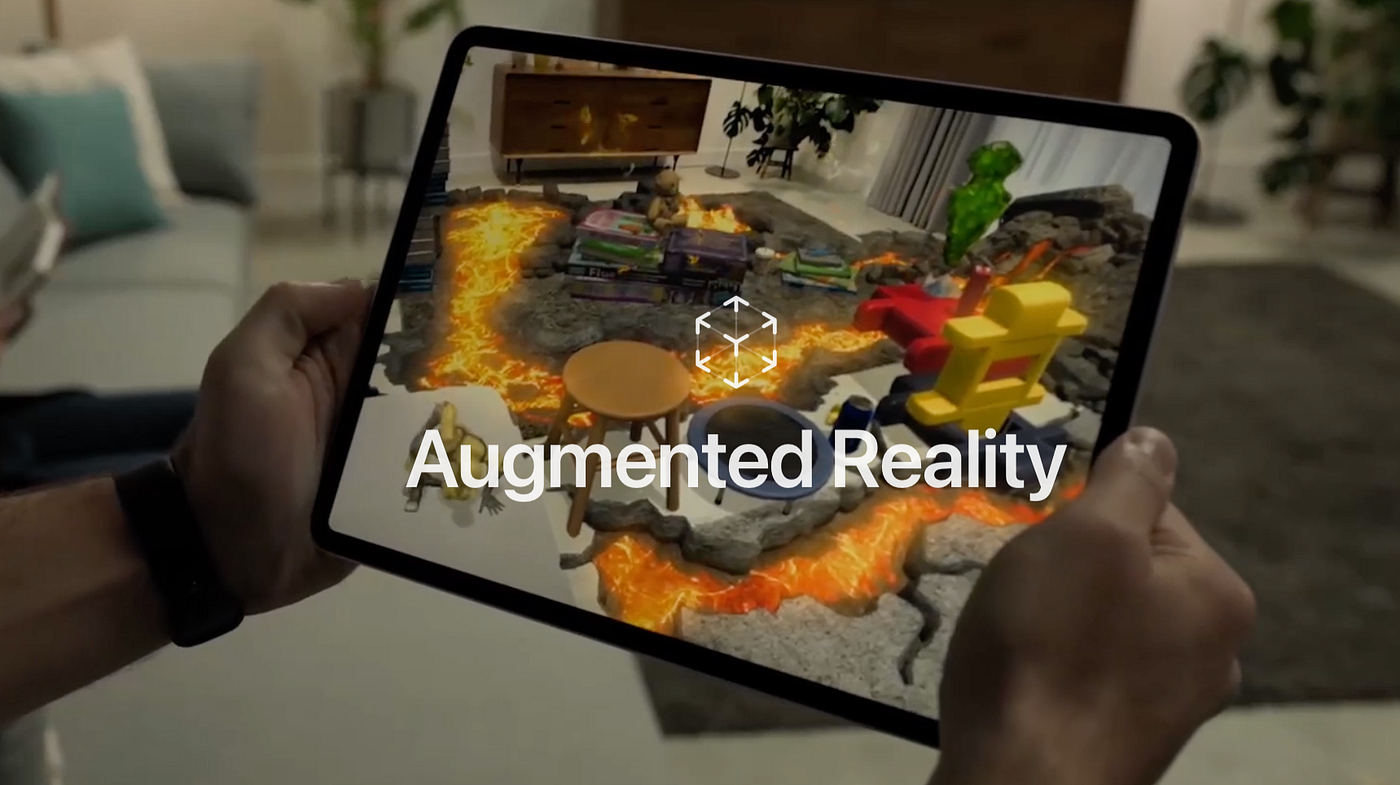
What Is Ark Augmented Reality?
Ark Augmented Reality sits in that space where reality starts behaving like it finally got a software update. You hold up a phone or slip into AR glasses and suddenly the world grows digital layers—intelligent overlays, 3D models, real-time hints—without asking permission. Ark AR isn’t just “augmented reality” slapped onto a buzzword. It’s computer vision, spatial mapping, AI-powered knowledge engines, and context-aware insights working together like some strange, well-trained orchestra. And honestly, once you’ve seen information glued onto objects in the real world, regular screens feel a bit… dull.
The Technology Behind Ark AR (Simplified but Complete)
People assume AR is basically just fancy stickers on your camera feed. Cute guess, totally wrong.
Visual Processing & Scene Understanding
Everything begins the moment Ark AR starts scanning the space—walls, corners, textures, weird shadows—nothing gets ignored. Real-time object recognition jumps in next and decides what the system should latch onto. It’s fast enough that you barely notice the work happening beneath the surface. But the accuracy? Surprisingly snappy.
Intelligent Overlay System
Once Ark AR knows the scene, it overlays digital info exactly where it belongs. Labels don’t drift. 3D rendering doesn’t wobble. Instructions don’t float into empty space like confused ghosts. You get context-aware AR overlays that react to what you’re doing. Sometimes it’s just a small text cue. Other times it’s a full 3D model hovering over equipment like a personal trainer that doesn’t judge.
Cloud and Connectivity
Heavy workloads get pushed to the cloud—AI calculations, high-quality rendering, the stuff your device shouldn’t sweat over. That’s why Ark AR runs smoothly even on mid-range smartphones. You’ll occasionally feel a hiccup when the internet flakes out (welcome to life), but the system can still handle basic mapping offline. Not perfect, but capable.
Ark AR Features That Transform User Experiences
Ark AR’s features aren’t gimmicky decoration; they’re actually useful. Interactive 3D models that stay locked to real surfaces. Intelligent overlays that give insights without screaming for attention. Multi-device AR that lets someone with a phone interact with someone wearing AR glasses. And yeah, the high-fidelity graphics help—it just feels more believable when the virtual stuff looks like it belongs there.
One thing that quietly stands out: the adaptability. Low light? Odd angles? Busy environments? Ark AR does a decent job staying stable instead of melting into chaos. That stability keeps the experience from feeling like a tech demo.
Industry Applications of Ark AR
Ark AR’s reach stretches across industries, and every sector grabs a different piece of its capabilities.
Education
Students stop staring at flat illustrations and start exploring 3D anatomy, mechanical systems, historical structures—you name it. You watch them poke, rotate, and zoom models like they’ve been waiting for textbooks to evolve.
Healthcare
Training becomes less abstract. Medical overlays guide procedures, highlight anatomy, or walk trainees through complex steps without overwhelming them. It’s not replacing doctors—just giving them better tools than outdated charts.
Retail & E-Commerce
People want certainty before they hit “Buy Now.” Ark AR helps them try on glasses, test furniture placement, or preview décor without leaving home. Fewer returns. Fewer customer tantrums. Retailers love it.
Real Estate
Buyers walk into an empty house and watch furniture digitally snap into place. Walls change colors. Spaces feel alive instead of echoing. It saves everyone from bad imagination skills.
Industrial & Enterprise
Factories get smarter. Workers receive step-by-step AR guidance layered directly on machinery. The system points, directs, warns—whatever the situation demands. New employees learn quicker, and experienced ones avoid mistakes caused by memory fog.
Tourism & Entertainment
Tourism finally stops relying on dry pamphlets. Museums get AR labels, animations, historical scenes, interactive characters. Entertainment adopts AR for storytelling, games, and mixed-reality experiences. Suddenly everything feels less static.
How Ark AR Enables Smarter Decision-Making
Dashboards are fine until you need answers right now, in the real world. Ark AR drops insights exactly where your eyes already are. If a machine part looks off, the overlay warns you. If a student gets something wrong, the system guides them. The knowledge engine predicts what you need and avoids flooding you with nonsense. It’s like having an assistant whispering short, useful comments instead of delivering speeches.
Technical Considerations & Implementation Requirements
Ark AR sounds effortless when you’re using it, but the tech behind it demands proper hardware and planning.
Minimum Device Requirements
You need a solid camera, accurate sensors, and a GPU that doesn’t faint under pressure. Most modern smartphones qualify. AR glasses raise the experience—hands-free, wide FOV, more immersive.
Software Integration Needs
Developers usually grab ARCore, ARKit, or Vuforia as their SDKs. Backend systems handle cloud rendering, user data, spatial anchors, and analytics. Not glamorous work, but necessary.
Privacy & Security Considerations
AR sees everything your camera sees. That’s sensitive territory. Data must stay protected—encrypted, anonymized, and handled responsibly. Compliance becomes part of the deal. Not optional.
Business Benefits of Adopting Ark AR
Companies chase results that actually show up on spreadsheets. Ark AR delivers those. Training becomes faster and cheaper. Customers engage longer. Product visualization reduces uncertainty. Warehouses run smoother. Workers make fewer mistakes. And the big one: people trust information more when it appears directly on what they’re looking at. It feels intuitive instead of forced.
Limitations of Ark AR
Even strong tech has weak spots. Low light confuses object recognition. Reflective surfaces cause mapping glitches. Cloud reliance introduces latency. Battery life drops faster during heavy use. And some employees freeze when handed new tools—they need time to adjust. None of these flaws sink Ark AR, but pretending they don’t exist would be dishonest.
Competitive Landscape: Where Ark AR Stands
ARCore and ARKit dominate mobile. HoloLens dominates enterprise headsets. Ark AR wedges itself between those worlds—flexible, intelligent, less intimidating, and more adaptable. It doesn’t aim to replace every AR solution; it aims to work across devices and industries without acting like a diva.
Future of Ark AR & Industry Predictions
Spatial computing is steering the entire AR industry forward. AI merges with AR until the two feel inseparable. AR digital twins become a normal part of operations instead of an engineering novelty. 6G eventually arrives, giving the low latency AR deserves. Gesture controls get smoother. Holographic displays inch closer. And Ark AR evolves right alongside these shifts instead of sitting still.
How Businesses Can Start Using Ark AR
Start with something manageable—a training module, a product preview, a guided workflow. Don’t bite off a full enterprise rollout; that’s how people drown in complexity. Pilot projects give clarity on budget, ROI, and user adoption. Once employees see how AR reduces stress instead of adding to it, scaling becomes natural.
Conclusion
Ark Augmented Reality takes the ordinary world and layers intelligence on top of it—context-aware overlays, 3D visualizations, AI-driven insights, device flexibility. It works in classrooms, hospitals, factories, retail stores, warehouses, and anywhere people need better information delivered at the right moment. Sure, it has flaws. Every technology does. But Ark AR lands in that rare spot where the benefits significantly outweigh the quirks. The real world starts feeling enhanced, more responsive, and a little less… analog.
 IQnewswire